RV park and campground management software
One system for the whole day at your park.
Manage reservations, guests, daily work, and revenue from one straightforward system built for RV parks and campgrounds. Scout keeps watch in the background and shows your team what needs attention next.
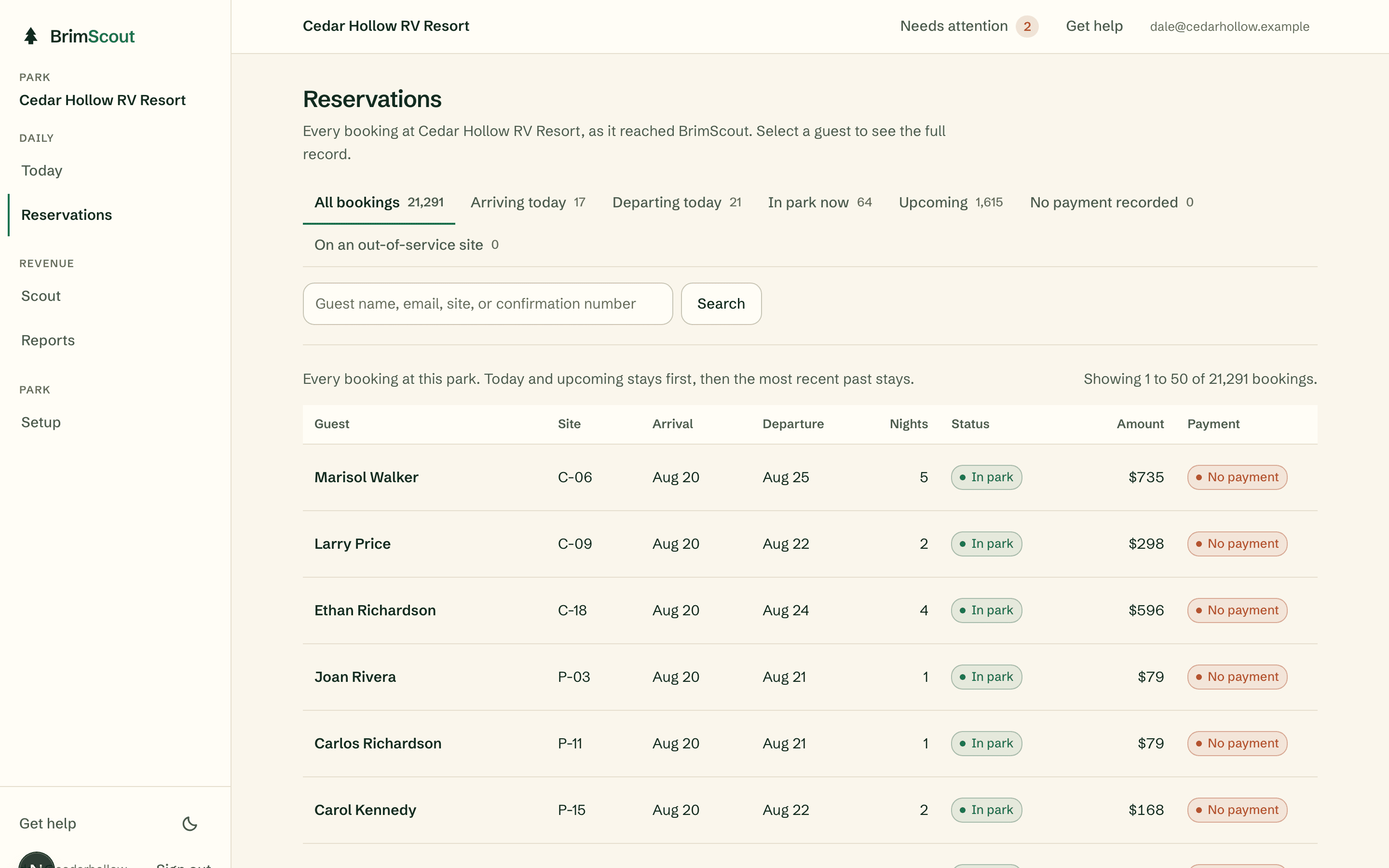
Reservations
Every booking at your park in one searchable list: guest, site, dates, nights, status, amount, and payment state. Search by guest name, email, site, or confirmation number.
- What the owner sees
- The owner sees the whole book: how many stays are upcoming, which bookings have no payment recorded, and any stay sitting on an out-of-service site.
- What staff see
- Staff see who is arriving today, who is departing, and who is in the park right now, without digging through paper or a second system.
Scout
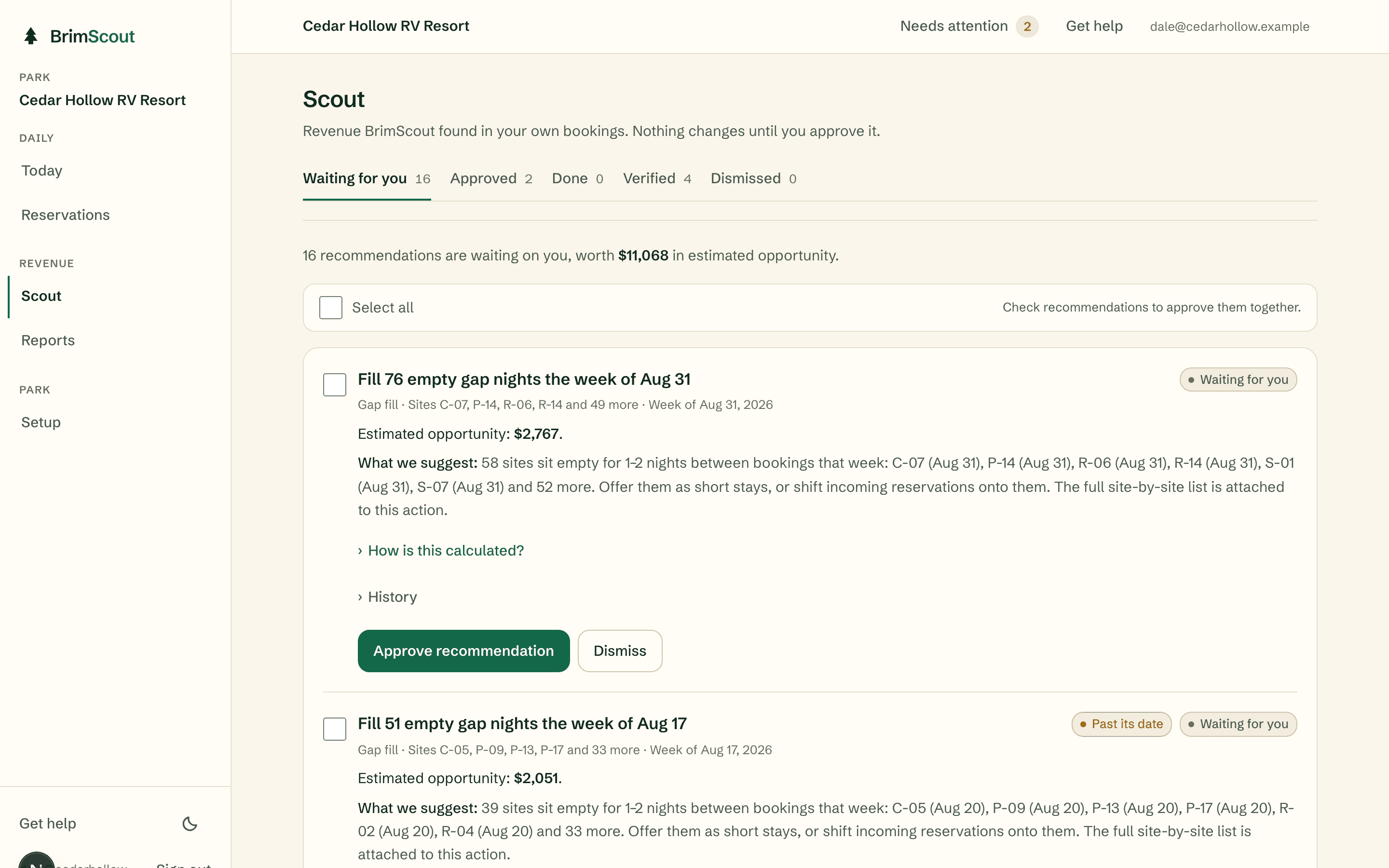
Scout reviews your park's activity, identifies problems and opportunities, and gives your team a clear next step. Scout finds it. You decide. BrimScout tracks the result.
- What the owner sees
- The owner sees each recommendation with the estimated opportunity, a plain explanation of what we suggest and how it was calculated, and two buttons: approve or dismiss. Nothing changes at the park until someone approves it.
- What staff see
- Staff are not interrupted by Scout. When the owner approves a recommendation, it arrives as a normal task with an owner and a due date.
Daily tasks
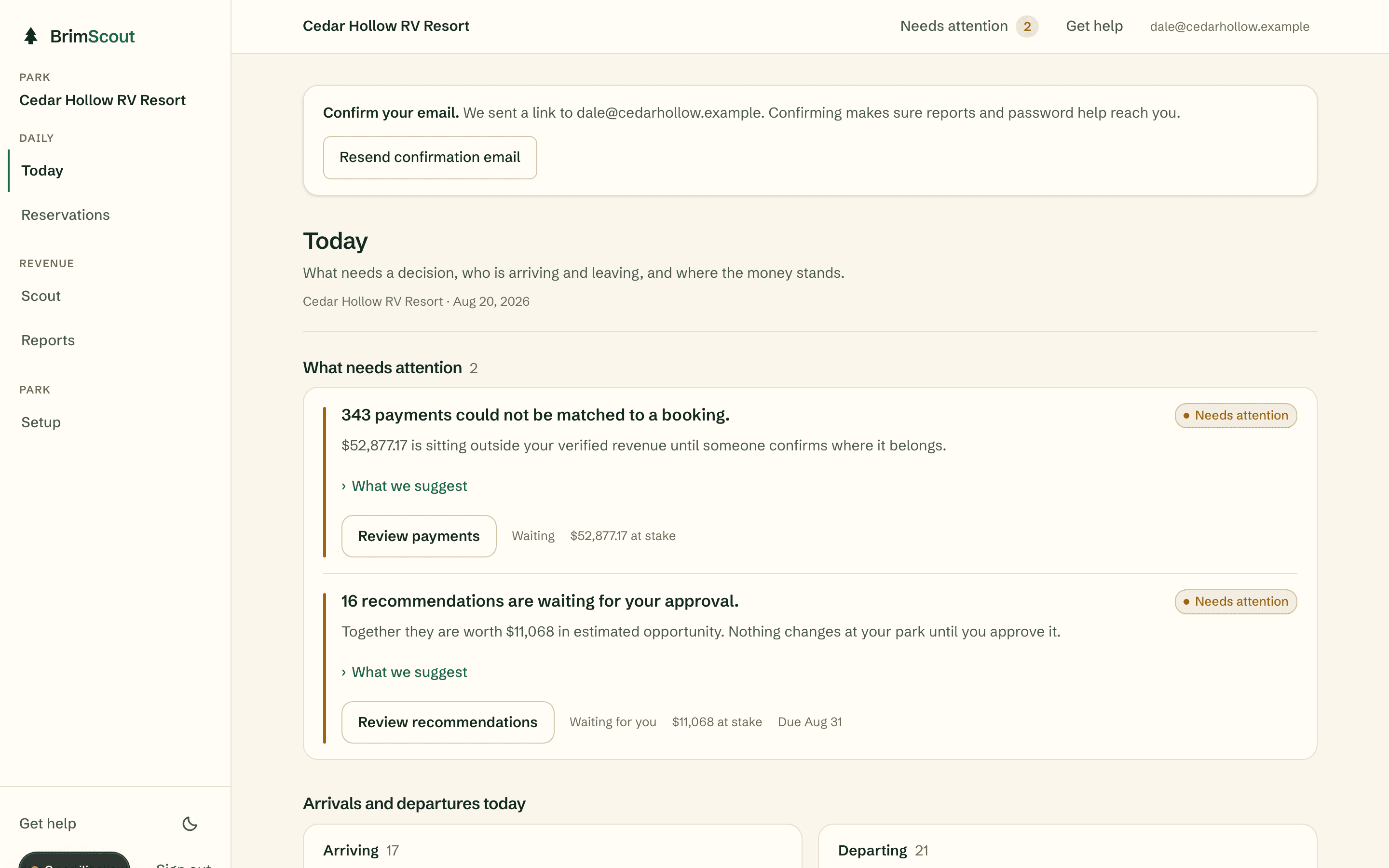
Approved recommendations and anything that needs attention become tasks: one owner, one due date, one clear next action. Work survives a shift change because it lives in the system, not on a sticky note.
- What the owner sees
- The owner sees what is overdue, what is waiting for approval, and who is responsible for each open item.
- What staff see
- Staff start the day on the Today screen: a short list of what needs attention, then the day's arrivals and departures. Each item carries one primary action.
Reports
A weekly summary in plain English: what happened, what changed, and what to look at next. Verified revenue, meaning dollars traced to an action and a transaction, is always separated from estimated opportunity.
- What the owner sees
- The owner gets the report by email and in the app. Every number links back to the bookings and payments behind it, so nothing has to be taken on faith.
- What staff see
- Staff have nothing extra to prepare. The report is built from the work the system already tracks.
What the weekly report covers
- What needed attention this week, and what your team did about it
- Bookings, arrivals, and departures compared with the same week last year
- Verified revenue traced to an approved action and a real transaction
- Estimated opportunity still waiting on a decision
- Connected systems: what arrived and when it was last updated
Connected systems
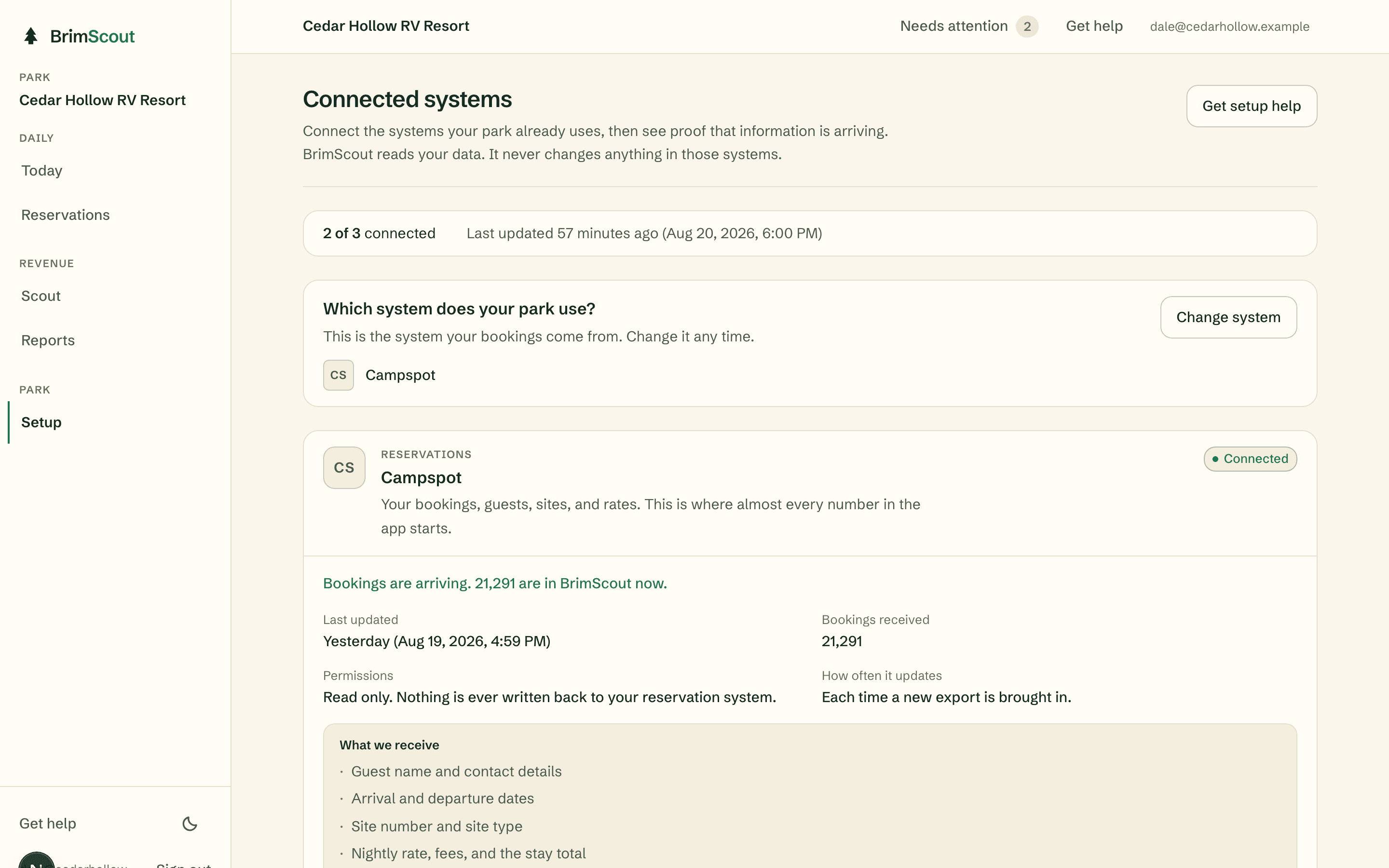
Bring bookings and payments in from the systems your park already uses. Today that means a reservation file export (CSV) and a read-only Stripe connection. Direct connections to reservation systems are planned. BrimScout reads your data and never changes anything in those systems.
- What the owner sees
- The owner sees what is connected, when data last arrived, exactly what we receive, and proof that information is flowing.
- What staff see
- Staff have nothing to maintain. When data goes stale, the system says so instead of pretending.
Prove it works, end to end
The system check walks the whole loop on the demo park: data arrives, Scout finds what needs attention, a finding becomes an assigned task, the work is proved with a photo, late work gets chased, and the morning brief and weekly report go out. Every step shows its real result, and the page is honest about which delivery channels are live and which are not yet.
You can run the same check on your own park at any time. If a step fails, it says so in plain language.

Where to go next
See how BrimScout would run your park.
Book a short demo and we will walk through a normal day at your park together, or start a free trial with your own booking history.
14 days. No credit card required. Your trial begins when your park data is ready.